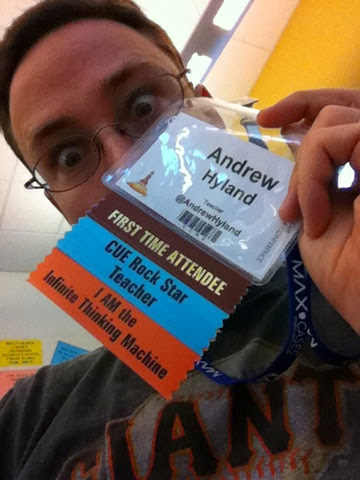
 Well, the wifi seemed to be fixed for good and the lunch line was practically zero on Day 2, so I can give CUE and ACHS some props for at least fixing some problems quickly. Peter and I had selected our sessions late last night--we were ready to rock and our shared GDoc filled up fast with notes through the day. Next time I think I'll pick a time to have an empty session to run by all the vendors and see what's up quickly. This time we needed to maximize the info-grab. But a person can only process so much and implement so much each school year.
Also for next time: sitting through keynotes and going to the meet ups before and after the con.
In any case, here's what we saw and as always, notes are available upon request:
Padlet - digital posters for assessment. Don't need 1:1. I think I can use this one next semester for presentations and formative assessment. If you include an oral presentation piece it's even better. This could also be a strong tool in combination with QR codes at back to school night.
Audioboom - pod casting as class newsletter. Students write a script and record a podcast of what they've learned this week/unit. I think this was a public tool so train for your privacy needs. (No names on air, etc. )
Infuse Learning -- assessment tool much like socrative. Quite a bit of prep up front so I don't see this one on my radar until next year.
Session 7: Formative Assessment with mobile devices
Plickers and Edulastic-something as the two most reachable for me this year in public school with non 1:1
He covered a lot and they are linked in the resources. Plickers is a tool where only the teacher needs a device to use--each student (or each table group) has a paper card (which you could laminate for repeated use). The cards are used for simple multiple choice selections, so there's a little bit of prep involved, and essentially what is happening is that your regular exit ticket or warm-up is now able to collect and display live data on who and how many in class are understanding the concept. The teacher has a digital record immediately of each formative assessment, so that's appealing to me. I could really use this in Special Education for IEP goal progress--the only down side is having to work around the multiple choice-style limitations. So I wouldn't use this for every single problem each day.
Session 8: Special Education
This session was aimed at General Education teachers and getting them to use tech as a way to integrate Special Education students into the mainstream with tech as a facilitator.
Session 8: Special Education
This session was aimed at General Education teachers and getting them to use tech as a way to integrate Special Education students into the mainstream with tech as a facilitator.
An 8th grade teacher presented on student Blogging in lieu of written journaling--he said the majority of his students with special needs selected the online version and suspected it was due to not liking hand writing. Audio story problems were covered by an elementary teacher and I can see how I could use that in high school. Right now that would be a lot of extra prep for my class situation for a small number of applications. They presented a video produced by a student with autism to explain his condition.
A nice thing about this session was that it was not focused on 1:1 and was presented by practical individuals in a situation that was closer to mine. So often I've been the only special educator in the room and even the only public school teacher in the room, or the only teacher at a school that's not going 1:1 iPads this year.
(Session 9 -- I skipped and dealt with some housekeeping issues)
Session 10: Science mobile
Since I'm co-teaching a Biology class this year, and I met Melissa Hero back at CUE Rockstar Tahoe, I had to go to this session and see what was up. The link to her resources is where all the action is at. By this point in the conference my entire brain was shot. Melissa covered several websites to use for data sets in life science classes since most of the well known resources are for earth science (I didn't know this, but now I do!). She covered several tools for elementary and for high school. I can definitely see how to integrate the iNaturalist website/app into my class later this year. I'm definitely going to look at for next semester.
(Session 9 -- I skipped and dealt with some housekeeping issues)
Session 10: Science mobile
Since I'm co-teaching a Biology class this year, and I met Melissa Hero back at CUE Rockstar Tahoe, I had to go to this session and see what was up. The link to her resources is where all the action is at. By this point in the conference my entire brain was shot. Melissa covered several websites to use for data sets in life science classes since most of the well known resources are for earth science (I didn't know this, but now I do!). She covered several tools for elementary and for high school. I can definitely see how to integrate the iNaturalist website/app into my class later this year. I'm definitely going to look at for next semester.
iNaturalist. Melissa Hero link.


